
The vet record is in an email from two years ago.
Everything you own, in one private place.
Keepset keeps your pet, car, home and papers on one calm timeline. Reminders, scans and voice notes that stay on your iPhone.
Free for iPhone. iPad and Mac coming soon. No account needed.
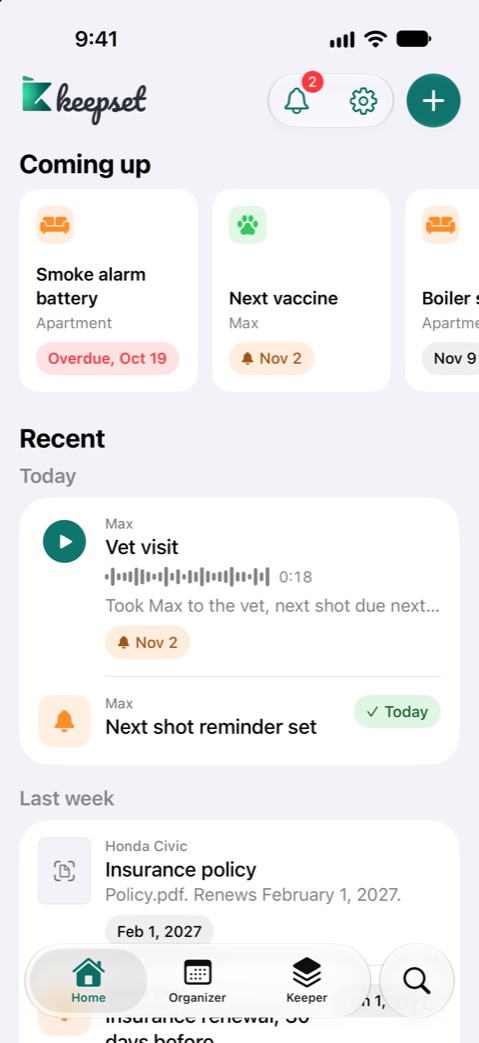
- Max, next vaccine Nov 2
- Stays on your iPhone
- Car insurance renews Feb 1
- Smoke alarm battery is due
Your things are everywhere.
The details are nowhere.
The car insurance PDF is somewhere in Files.
The boiler service date only lives in your head.
The warranty is a photo lost among 9,000 others.
One place that remembers for you.
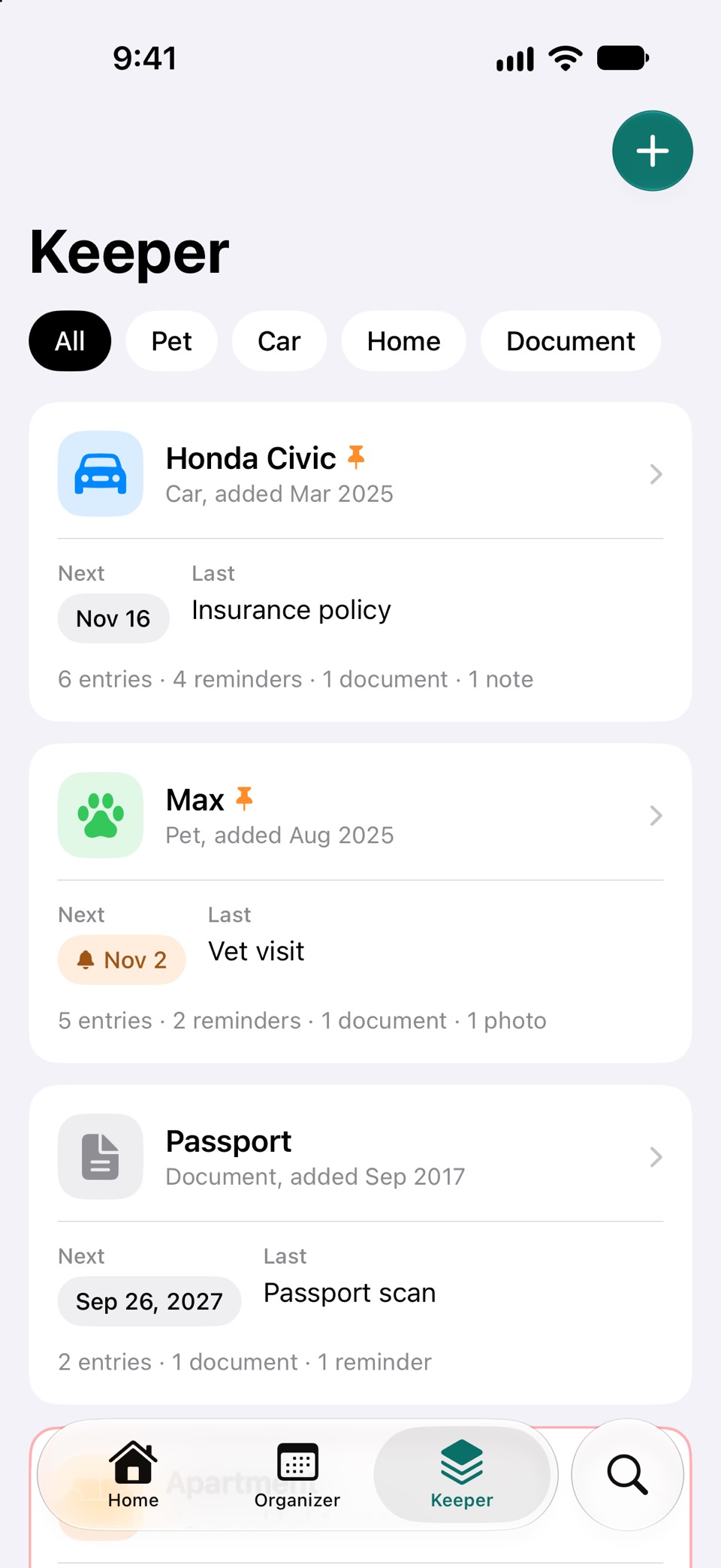
Keepers
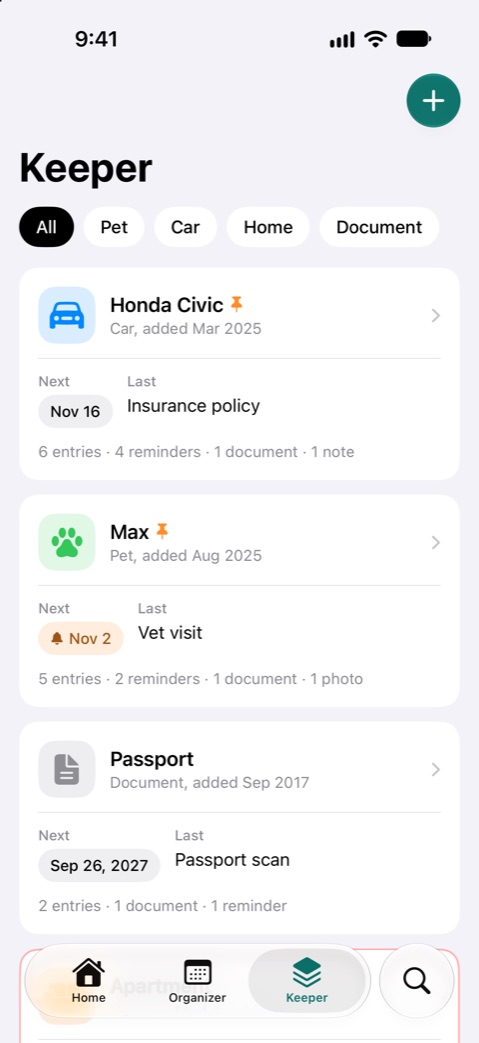
A home for each thing.
Make a keeper for your dog, your car or your passport. Each one keeps the details you always look for, like the microchip number or the policy date.
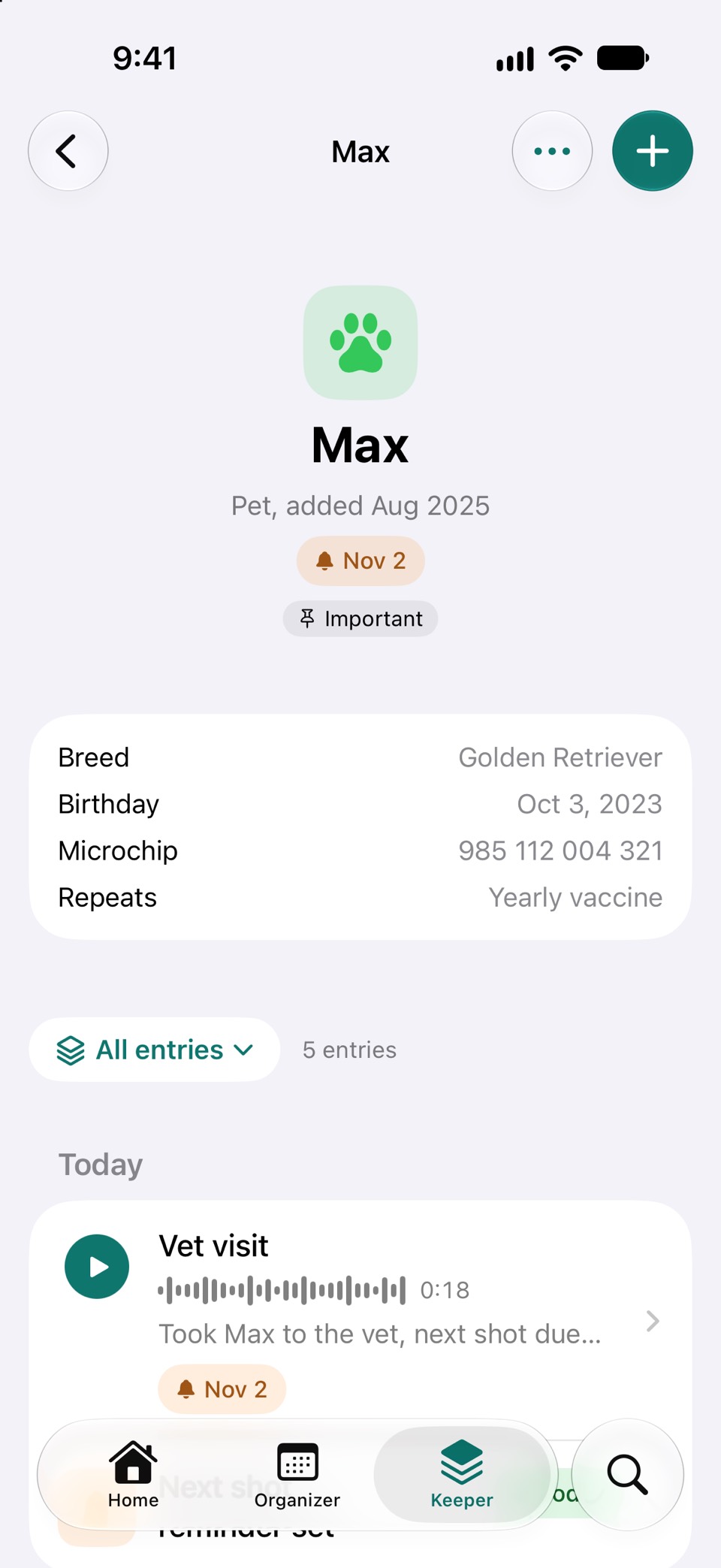
Timelines
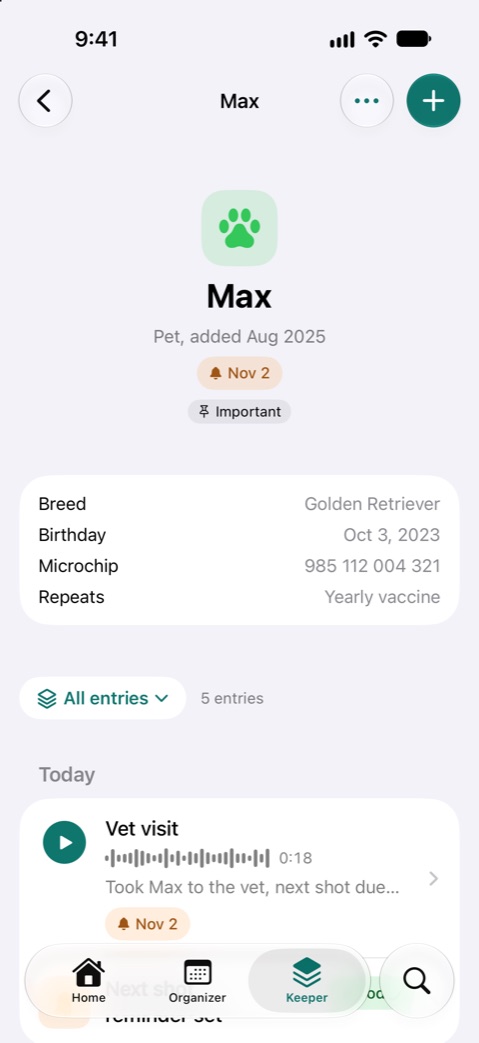
Every visit and receipt, in order.
Each keeper has its own timeline. Scroll back to see when the last vaccine was, or what the mechanic said in March.
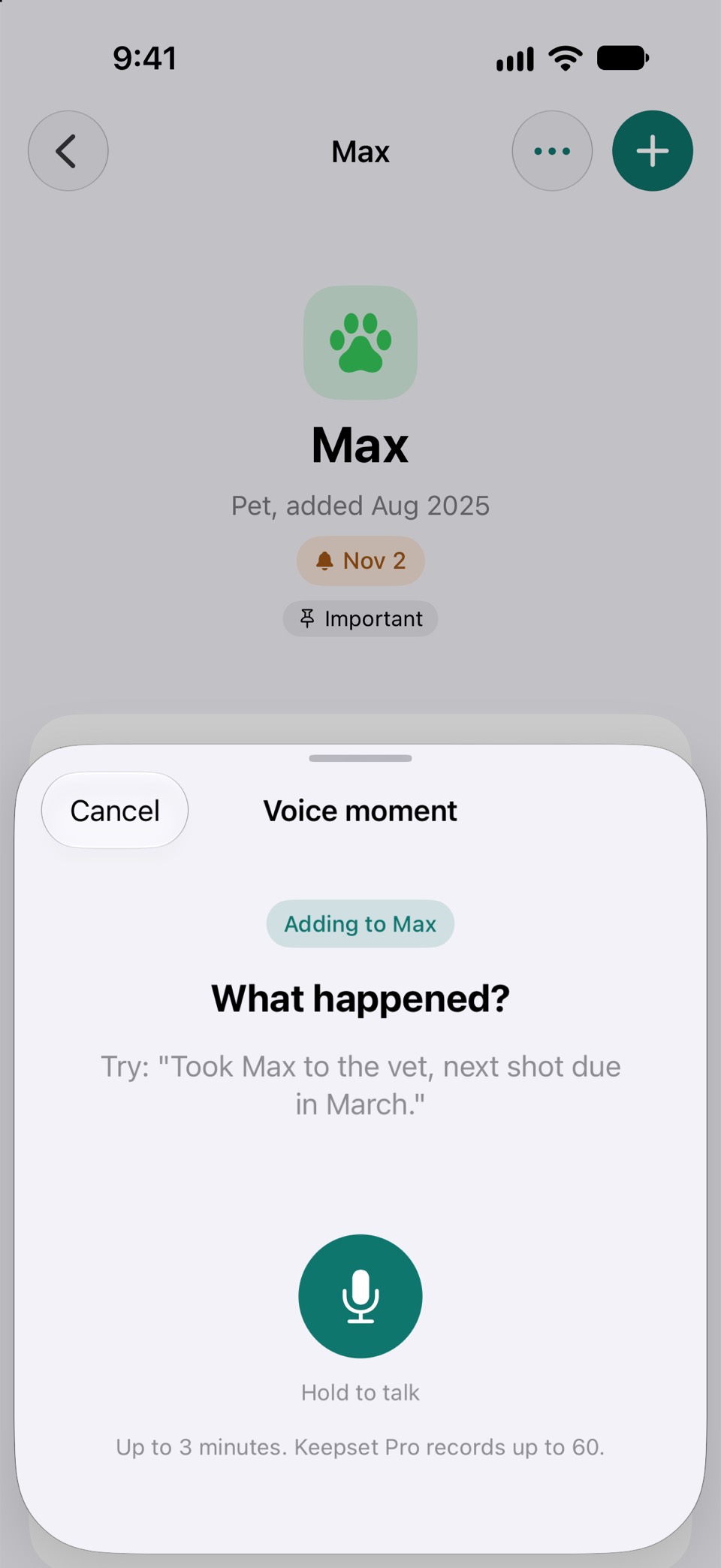
Voice moments
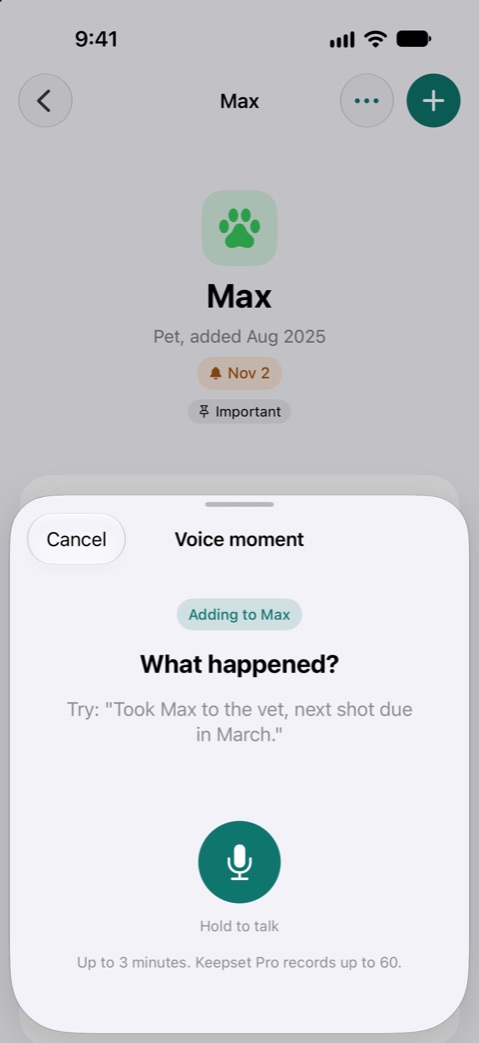
Just say what happened.
Hold to talk and Keepset writes it down as you speak, right on your iPhone. Mention a date and it can set the reminder for you.
Organizer
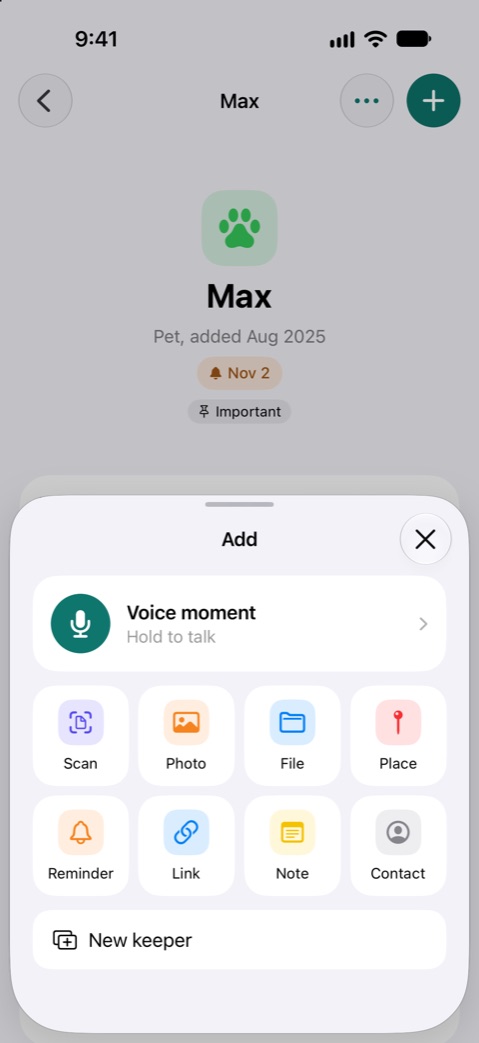
Never miss what is due.
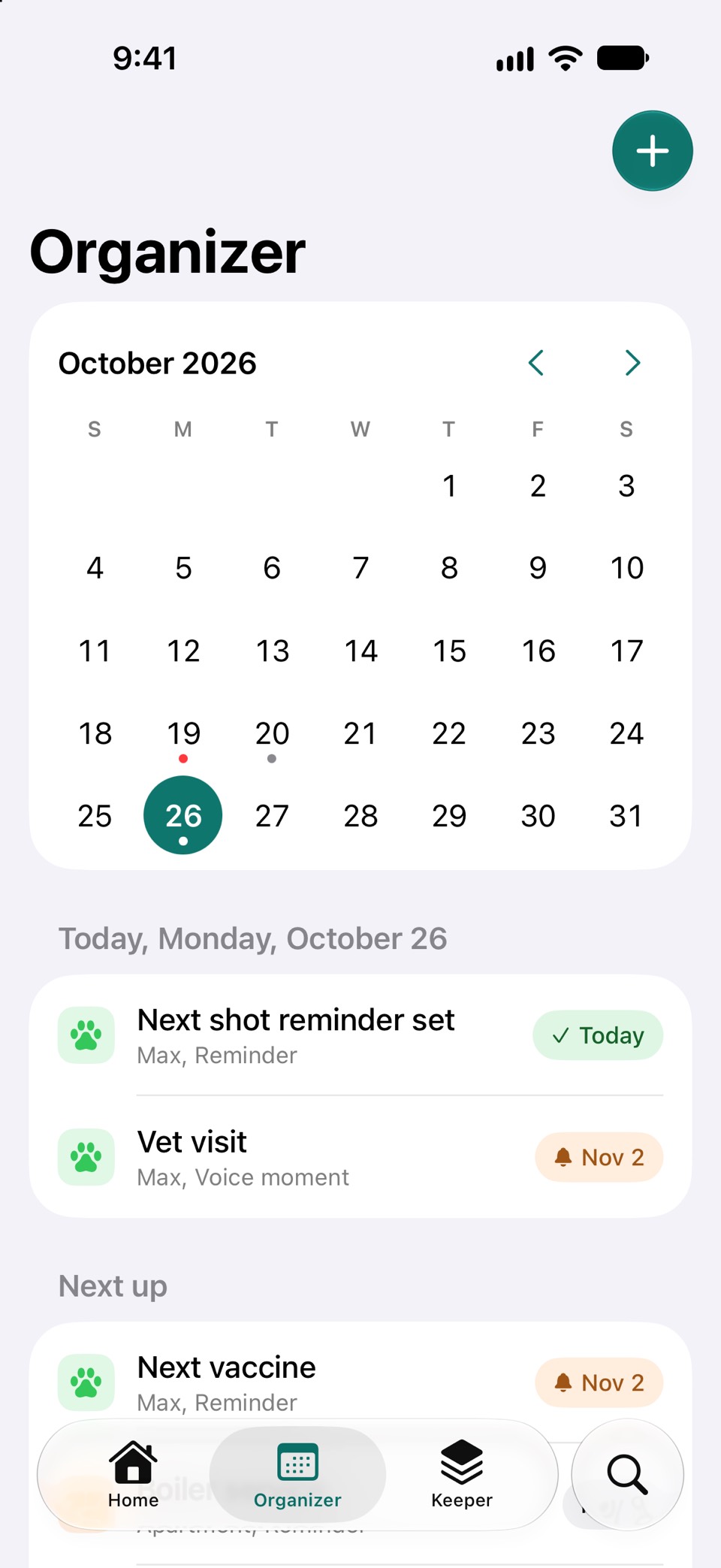
Vaccines, services, renewals and bills sit in one calendar. Keepset nudges you before each one, and repeating reminders stay on schedule.
Add anything
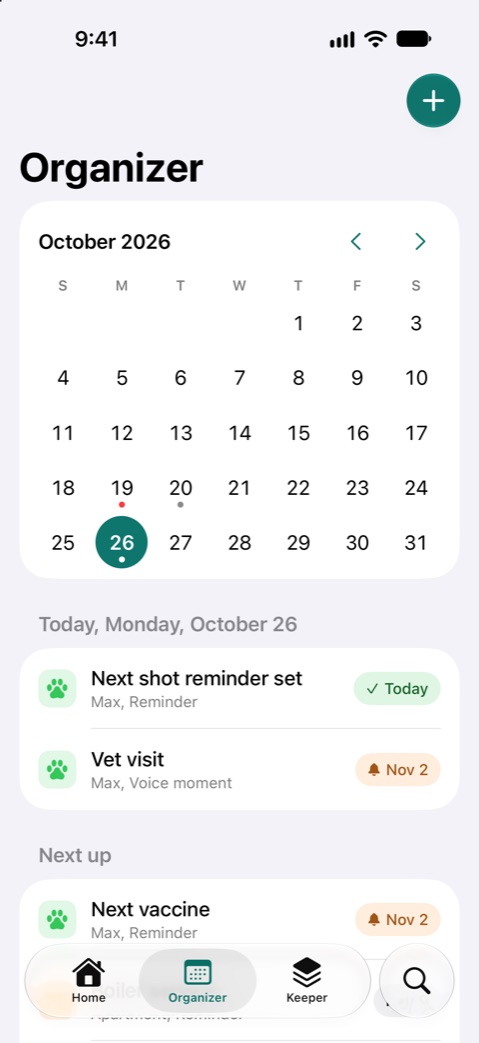
Nine ways in, one timeline.
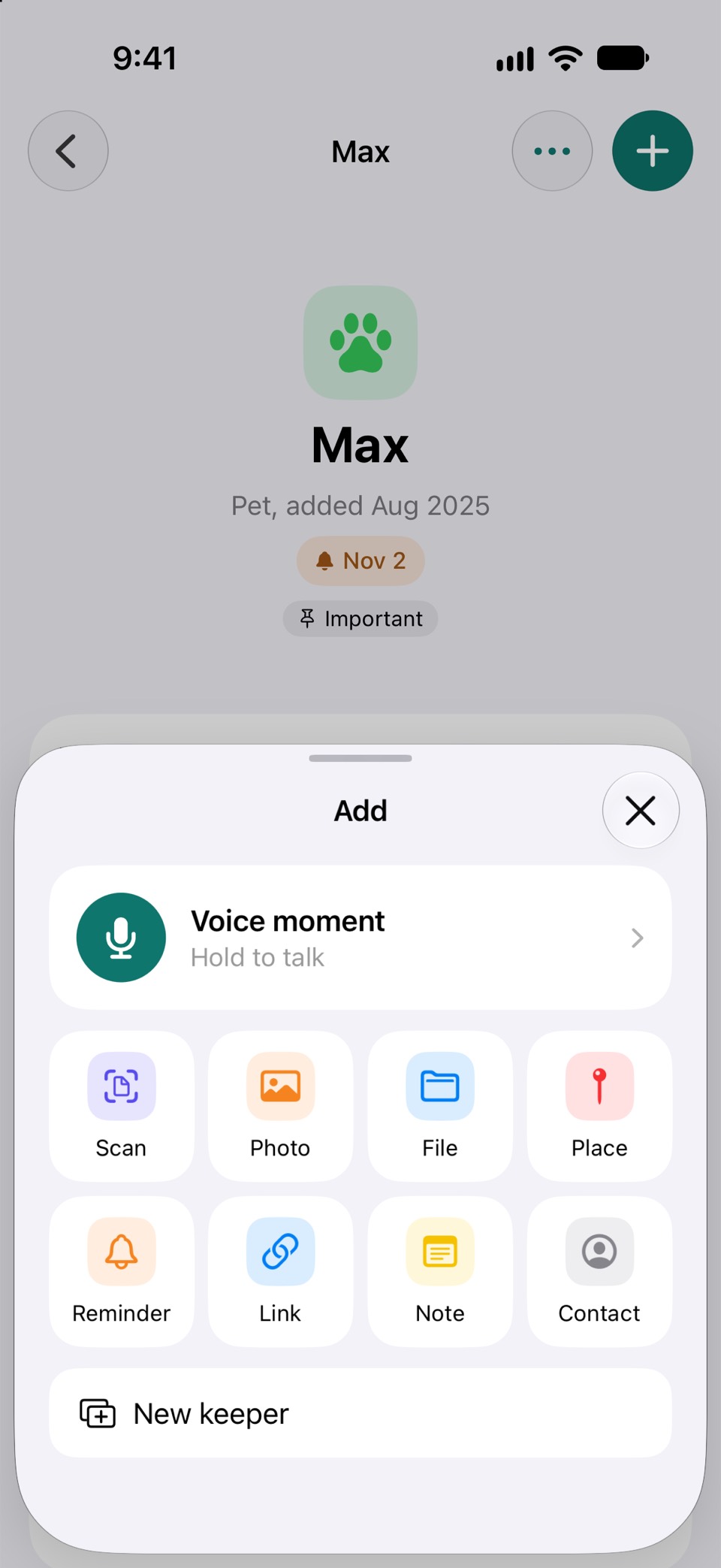
Scan a paper and Keepset finds the dates. Add photos, files, places, links, notes and contacts in a tap.
Coming soon
Keepset for iPad and Mac.
The same keepers, made for the bigger screen. One app, built for each device, not stretched from the phone.
iPad
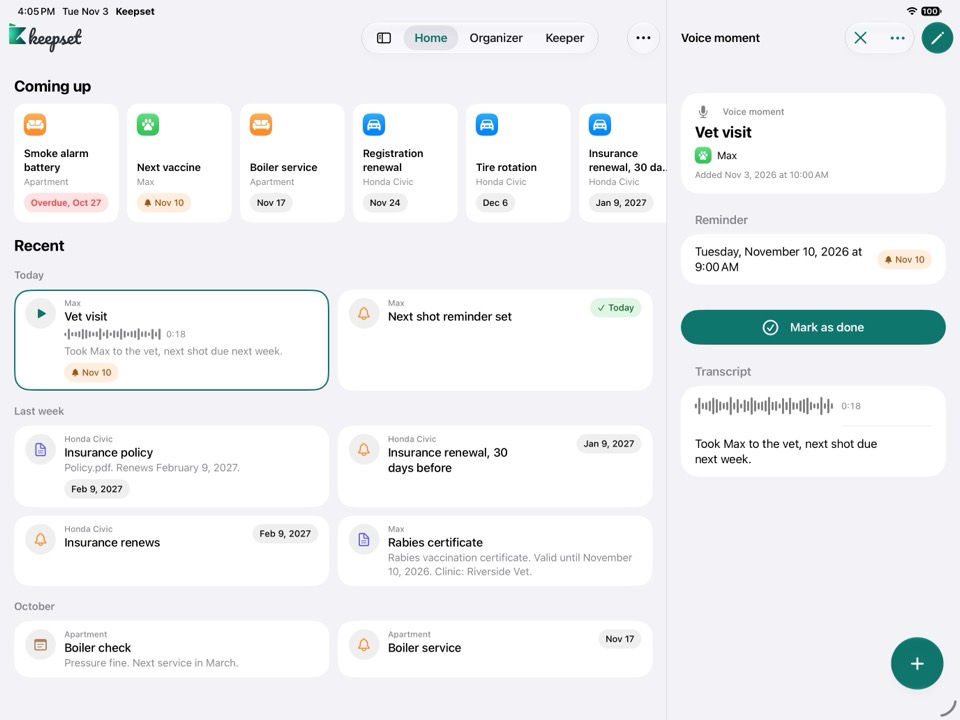
Room to see it all.
- Cards sit two across, so more fits on one screen.
- Tap a card and its details open beside it, no back and forth.
- Tabs sit at the top and open into a sidebar.
- Works in every direction, portrait or landscape.
- Drop a photo or PDF on a keeper to add it.
- Keyboard shortcuts: ⌘N new entry, ⇧⌘N new keeper, ⌘F search.
Mac
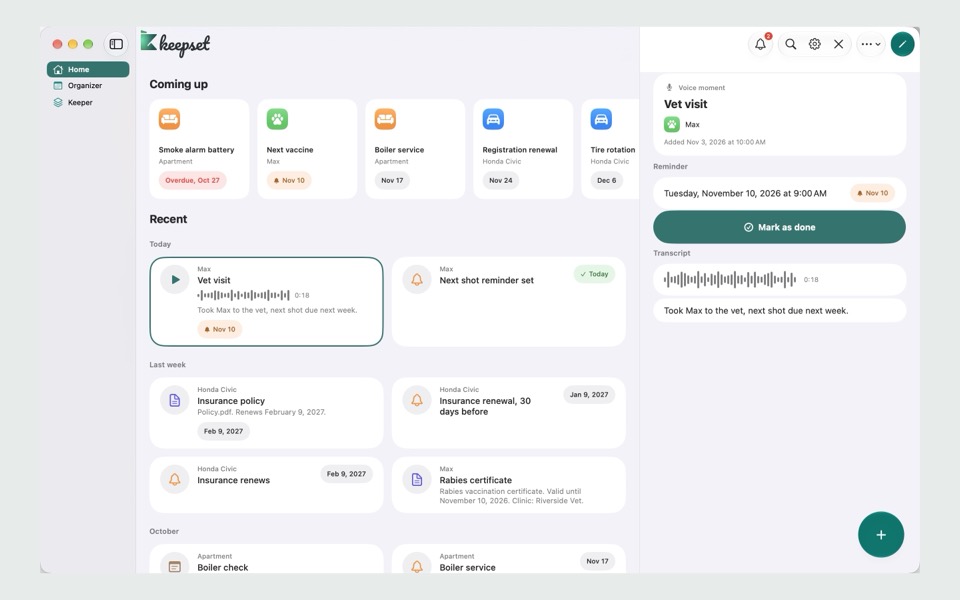
A real Mac app.
- A sidebar with every keeper. Pick one and it opens as its own tab.
- Click a card to see its details on the right.
- Drag in photos and files from Finder.
- Menus and shortcuts: ⌘N new entry, ⌘, Settings.
- Lock Keepset with Touch ID.
- Next up on your desktop as a widget.
Buy Keepset Pro once and it works on your iPhone, iPad and Mac.
Private by design.
Keepset has nothing to sign in to and nowhere to send your data. It all stays on your iPhone.
No account
No sign up, no login, no password to forget.
No server
Your keepers live on your iPhone. With Pro, sync uses your own iCloud.
No tracking
No ads, no analytics, nothing sold or shared.
App Lock
Lock Keepset with Face ID. Smart features run on your iPhone too.
How it works
-
1. Add a keeper
Max the dog, your car, the apartment. Pick a type and give it a name.
-
2. Add what happens
Say it, scan it, snap it or type it. Every entry lands on its timeline.
-
3. Get a nudge
Keepset reminds you before the vaccine, the service or the renewal is due.
A keeper for everything you own
- Pet
- Car
- Home
- Person
- Device
- Document
- Your own
Free for everything that matters.
No limits on keepers or entries. Keepset Pro adds a few extras when you want them.

Free. Yours to keep, no trial.
- Unlimited keepers and entries
- All 9 ways to add: voice, scan, photo, file, place, reminder, link, note, contact
- Timelines, Organizer calendar, reminders and search
- Smart suggestions and photo reading, on your device
- Voice moments up to 3 minutes
- App Lock and export all your data
- Next up widget
- Siri: "Add a voice moment" and "What's coming up"


Yearly or monthly. One purchase for all your devices.
- iCloud sync between your iPhone, iPad and Mac
- Share a summary of a keeper as a PDF
- Voice moments up to 60 minutes, with a summary
- All widgets, including one for a single keeper
- Your own fields and reminders for categories
- More Siri and Shortcuts: add a reminder or note, save a link, ask what is due, mark it done or snooze it
If Pro ends, nothing is deleted or locked.
Try Keepset today.
Keepset is in beta on Apple's TestFlight. Install the free TestFlight app, then open the link to get Keepset.
Try App in TestFlightNo account needed. Your data stays on your device.